First of all, in order to control the position using analog command, the operation mode should be PT mode or PT-PR mode (but PT is selected).
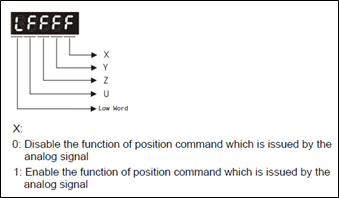
Then, the analog position command should be activated by using P1-64. Settings of P1-64 can be done like the following:
Initial position after servo is on can also be configured using P1-64 according to the following:
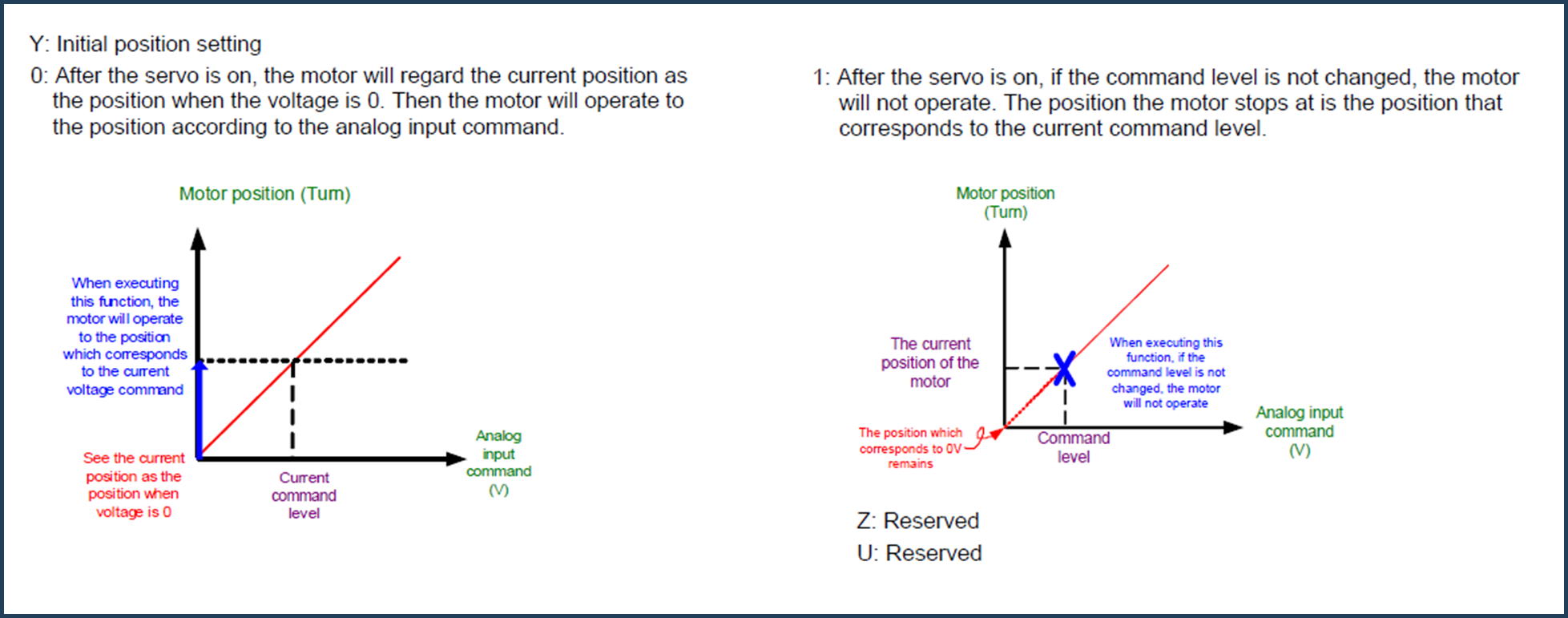
Based on this, if a voltage signal (-10 to 10 volts) is applied to V-REF analog input of the drive, the motor will start changing the position according to this signal.
The motor will turn a number of rotations based on the analog signal command; this number of rotations is defined by parameter P1-66. If P1-66 equals 10 for example, a 5 volt analog command will make the motor turn 5 times. If P1-66 equals 4, a 5 volt analog command will make the motor turn 2 times.
If the analog signal is noisy and not smooth, P1-65 (Smooth Constant) can be used to smooth the signal. Higher value means smoother signal that is less affected by noise.
 Delta Industrial Automation EMEA