Step 1: creating a data array in ASDASoft for the comparison position
Step 2: configure and input all the necessary comparison parameters, then write these parameters to the drive.
Step 3: choose whether to trigger the #45 PR command or perform other actions once the comparison is complete.
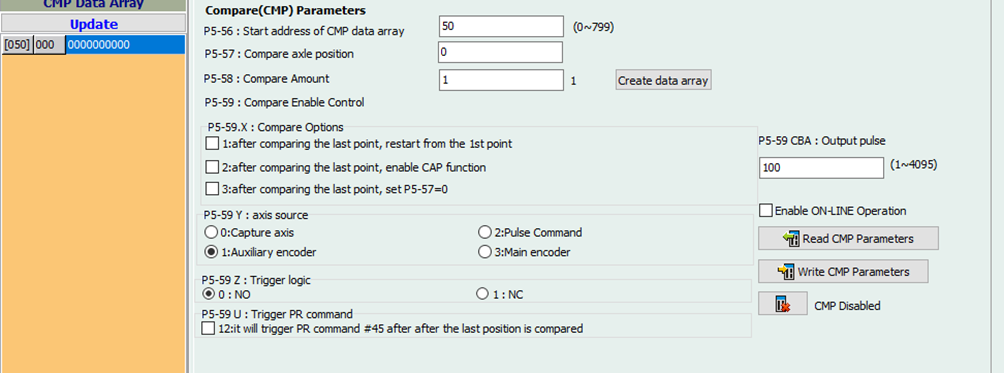
Please note that when using the main encoder as the axis source, the pulse resolution is determined by P1-46. For instance, if you have an E-Gear ratio settings of 12800:10, indicating the drive sends 1000 pulses per revolution, you must set P1-46 to 250 in this particular scenario.
 Delta Industrial Automation EMEA