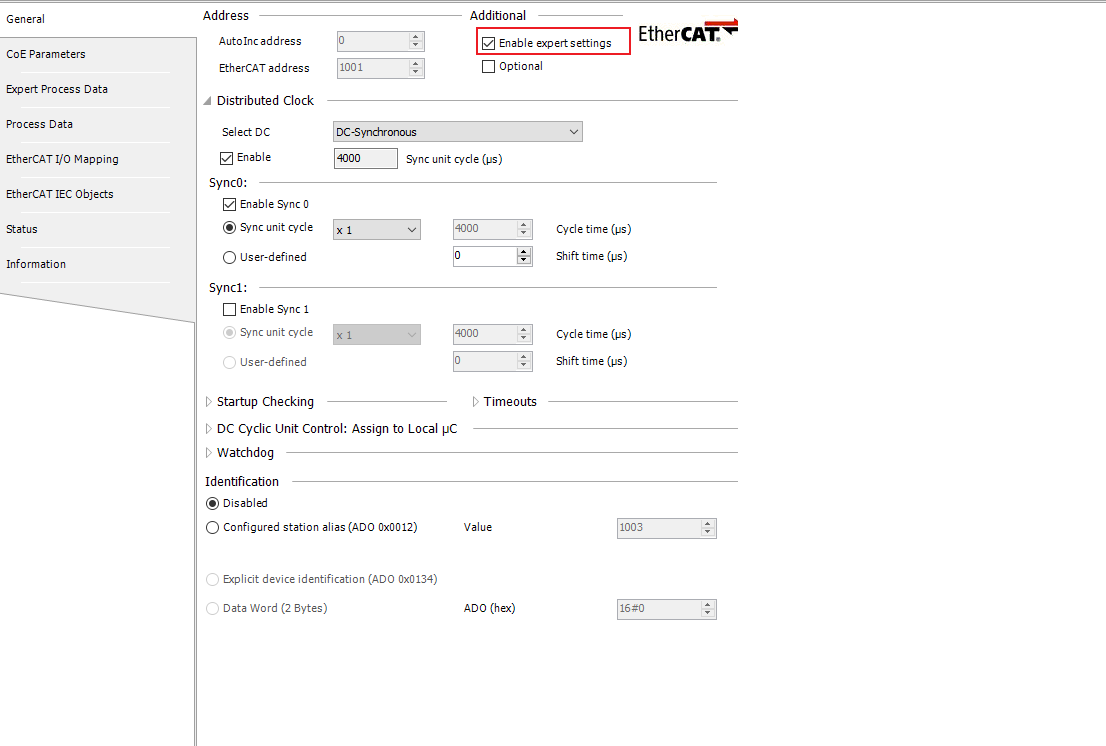
- Step1: Access the general settings for the servo drive axis and enable the expert settings.
- Step2: Proceed to the expert process data section and select a PDO list. Add the desired OD to the PDO content, provide a suitable name, and enter the index value.
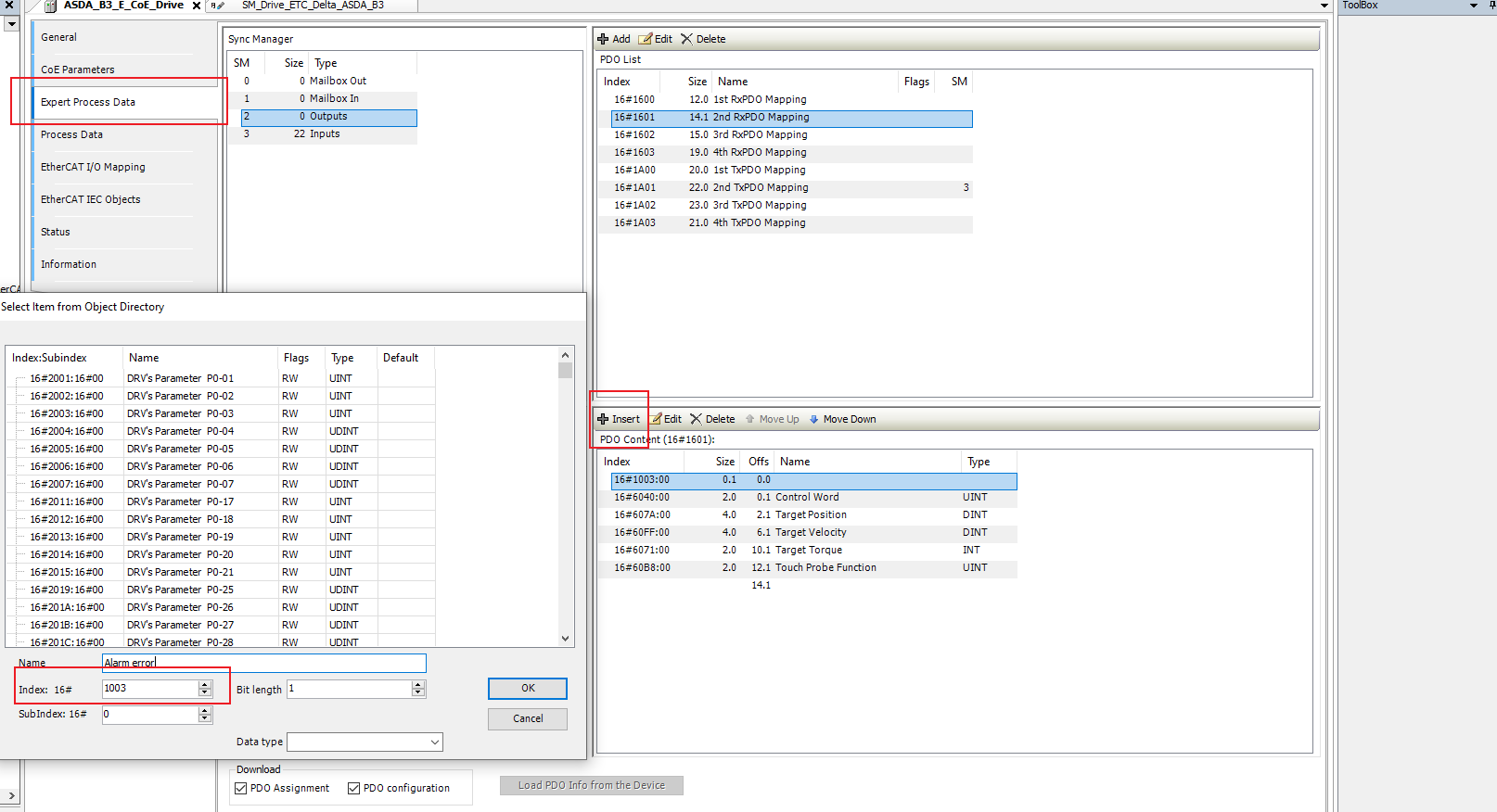
- Step3: Once the OD is added, you can map the variable in your program by accessing the EtherCAT I/O mapping settings. This will allow you to monitor the value. For instance, if you wish to check the servo drive alarm, you can read OD1003h.

 Delta Industrial Automation EMEA