Devices and Tools:
– DVP12SE11R
– C2000
– ISPSoft 2.04
– DCISoft 1.09
Operation Steps:
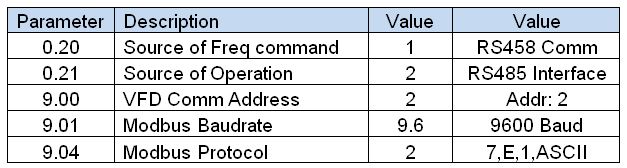
1. Setup C2000 parameters to be able to communicate with PLC.
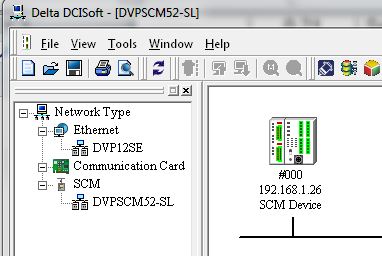
2. Open DCISoft and detect SCM Module.
3. Follow below link video instructions to configure SCM Module using SCM Soft.
full screen is recommended
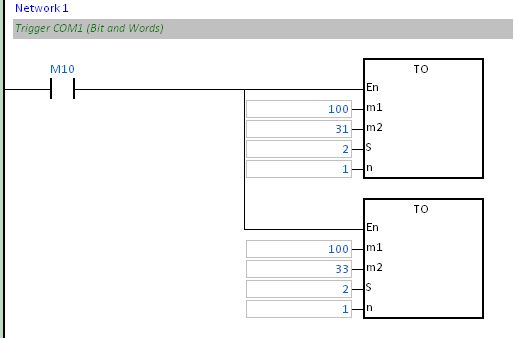
4. Enable COM1 communication trigger for Bits and Words using TO instruction.
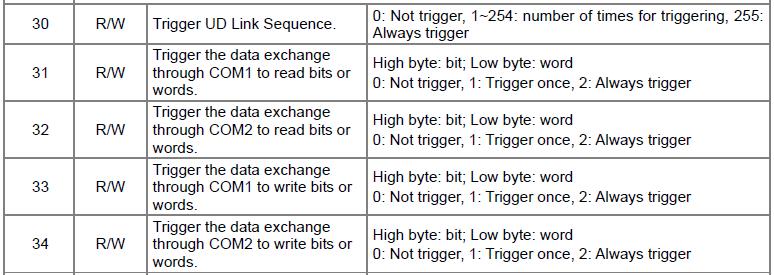
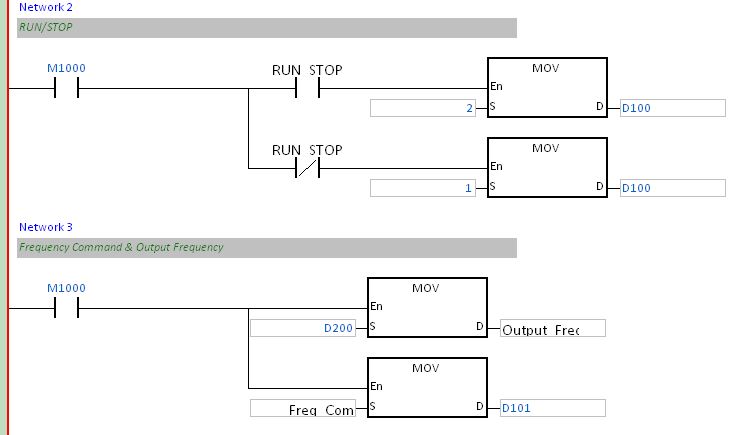
5. Test program, according configured registers.
Useful Tricks:
1. Double check positive and negative wiring is very common to swap them by error.
2. Check If the TX1/RX1 led on DVP12SCM is blinking to check if the device is polling.
3. Turn On/Off the terminal resistor switch depending on the communication distance and number of devices connected to the network.
 Delta Industrial Automation EMEA