Web Monitoring function: Allows direct monitoring of register data via web page, and requires no additional software installation.
To use web Monitoring function, Make sure the function of Realtime Monitor Setting is enabled and the IP address of the HMI is set. Then, enter http://%5BHMI IP]/RemoteMon/ in to your web browser.
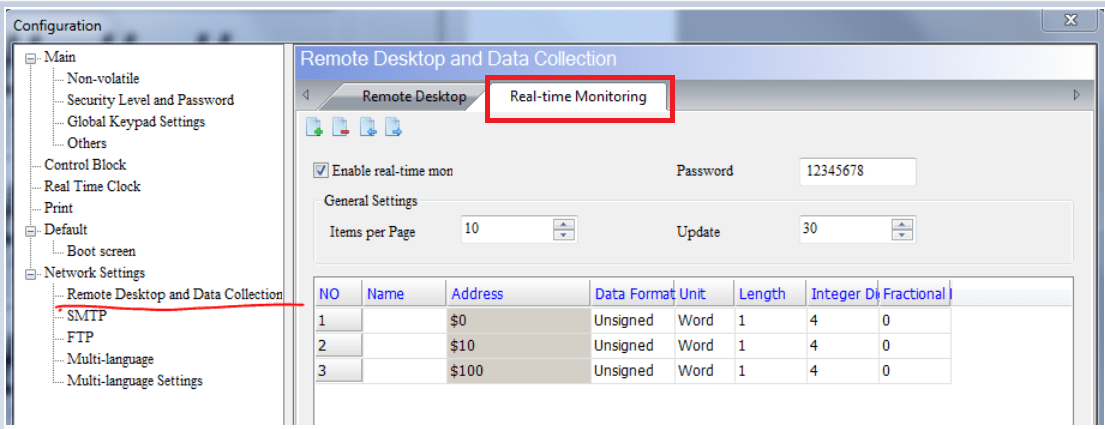
Figure Log on page of realtime monitor settings
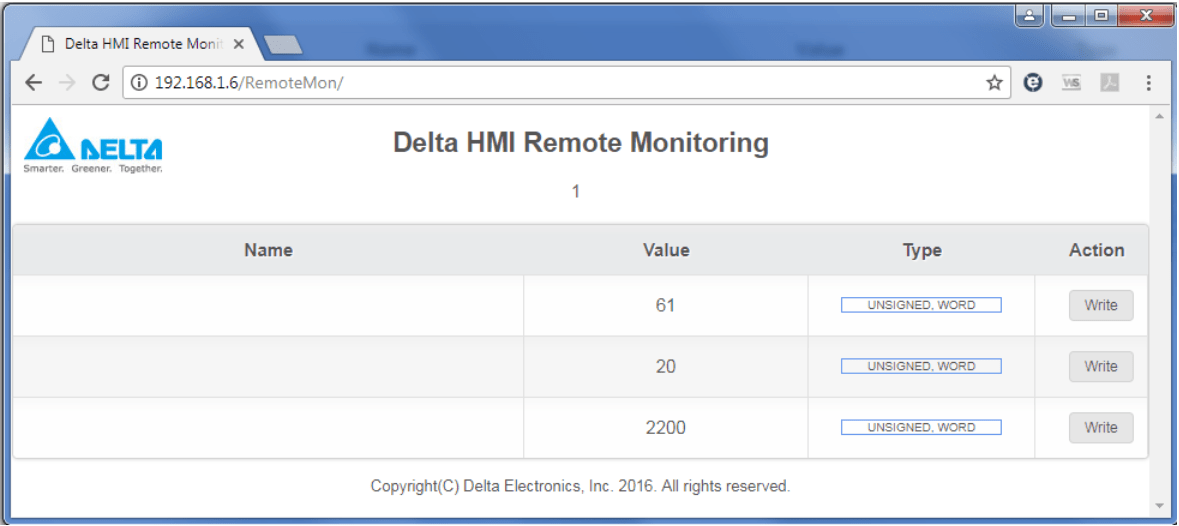
Then, you can see the realtime monitoring address set in the software.
On web browser You will see the following page. Please enter the password for Network application to log on.
See the video below
Thank you for visiting our blog
 Delta Industrial Automation EMEA