This blog is a brief explanation of the technical meaning of the com mode of HMI.
USBCommMode 0
is the traditional mode for USB uploading/downloading
files. Uses have to manually install the USB driver before uploading and downloading files with HMI.
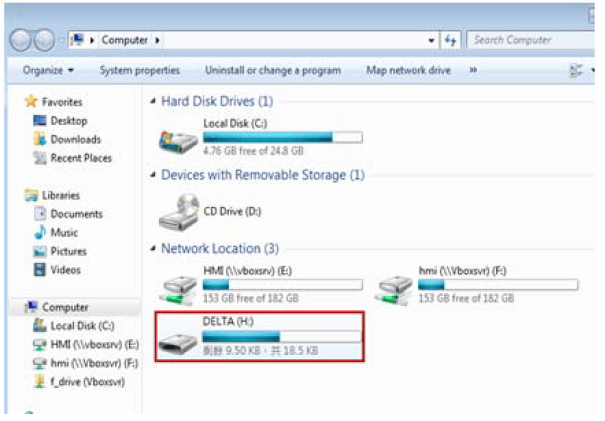
USBCommMode 1 is USB Disk mode. Set USBCommMode to 1.Then, users can check if there is a removable storage device named [DELTA] in Computer after completing
the setting and returning to the HMI screen.
USBCommMode 2
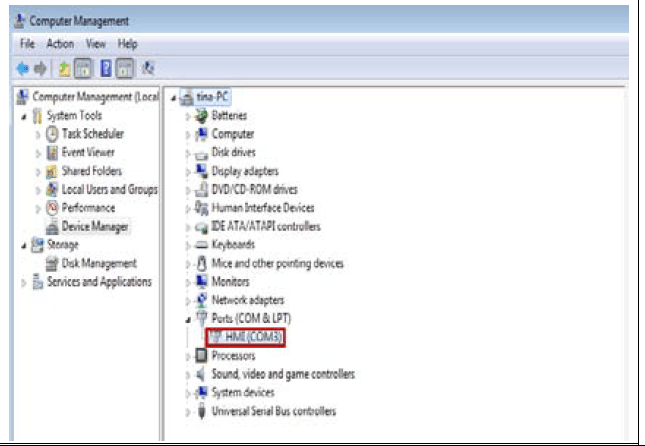
is USB CDC mode. When USBCommMode is set to 2, please go to Computer> Right
Click the mouse and select [Content] > Go to [Computer Management] and see if the device named [HMI] is displayed under [Ports].
 Delta Industrial Automation EMEA