
Below are the macro commands that you can use to prevent communication error message alarm when the communication between the HMI and the controller is disconnected.
- If the communication between the HMI is serial communication(RS-232,RS485), you can use the STATIONON and STATIONOFF Macro Command
- If the communication between the two HMI is Ethernet communication(Modbus TCP/IP) you can use the IPON and IPOFF Macro Command.
You will find how to implement these Macro Command in chapter 24 page 24-192- 24-196 in the HMI Manual(DOPSoft 2.00 series). Below is a brief explanation of the three options mentioned above.
- STATIONON and STATIONOFF Macro Command
The STATIONON and STATIONOFF Macro Command make it possible for you to manually enable or disable the COM Port of the station address to which the HMI is connected. This Macro Command can be used to enable or prevent the communication error message alarm when the connection between the HMI is disconnected. The STATIONON Macro Command turns the COM port ON and activates the error message alarm. The STATIONOFF Macro Command turns the COM Port OFF and deactivates the error message alarm. follow the steps below to achieve this.communication error message control
Step 1: create a “button” element and implement the STATIONON and STATIONOFF Macro Command in DOPSoft.
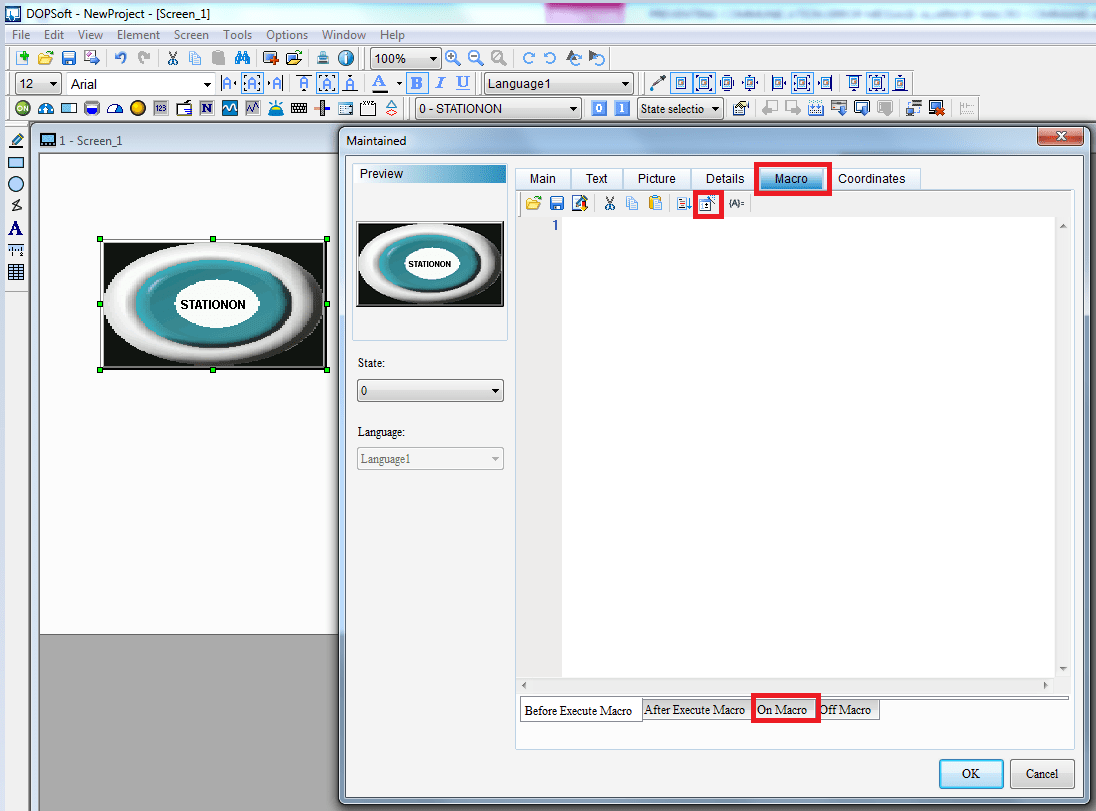
Step 2: Double click the “button”, click “Macro”, and click “On Macro” and click the Macro command as contained in the figure above and the Marco command dialog box below will appear.

Step 3: Then complete the macro command as shown below

Also do the same for the “off Macro” to implement STATIONOFF Macro command.
2. IPON and IPOFF Macro Command
When you are using Ethernet communication (Modbus TCP/IP)), with the IPON/IPOFF macro Command, you can enable or disable the IP address of the HMI. This will activates or prevent the communication error message alarm when the connection between the HMI is disconnected. Refer to point 1 above to see how to implement this command
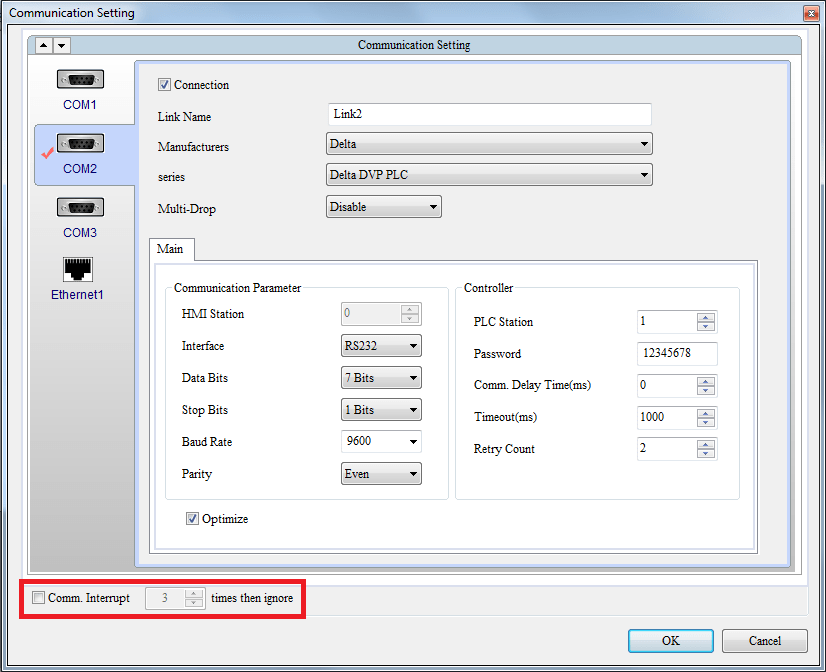
Note: The STATIONON, STATIONOFF, IPON and IPOFF macro command cannot be used when the “Comm. Interrupt XXX times then ignore” box is ticked see figure below.
see video: communication error message contro
Thanks for visiting our blog.
 Delta Industrial Automation EMEA